ShopDreamUp AI ArtDreamUp
Deviation Actions


Suggested Deviants


Suggested Collections


You Might Like…


Featured in Groups





Description
This VS is probably my last one for this year, thank you advances for your comments, support and 
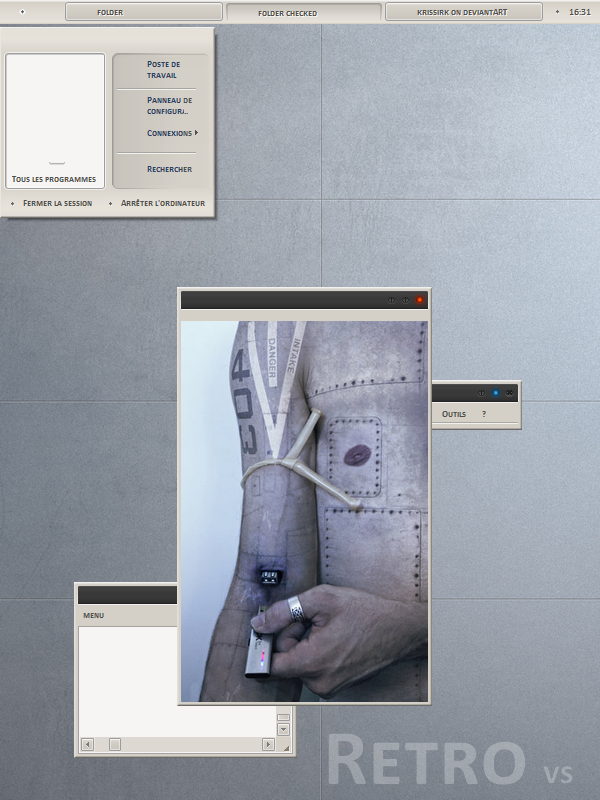
this visual style is a deep mod of Classique vs by emmanemma: [link]
thanks to emmanemma ( the original design author) for the permission.
This visual is intended for the lovers of the minimal, retro style.
picture: Last upgrade by D4N13l3: [link]
visual style in action: [link]
- The zip include:
*visual style
*Shellstyle & alternatives shell
*fonts: calibri bold caps 7, verdana 7, calibri 8
Installation:
You have to copy the zipped visual style into the windows system folder "c:\windows\ressources\themes".
You have to copy the fonts into fonts folder.
For alternatives shell, Unzip the file that corrisponds with the font you choose,Place the unzipped folder named "Shell" in the folder with the visual style.
Note:
This theme is for Windows XP.
You need also a patched "uxtheme.dll" system file.
All credits to:

this visual style is a deep mod of Classique vs by emmanemma: [link]
thanks to emmanemma ( the original design author) for the permission.
This visual is intended for the lovers of the minimal, retro style.
picture: Last upgrade by D4N13l3: [link]
visual style in action: [link]
- The zip include:
*visual style
*Shellstyle & alternatives shell
*fonts: calibri bold caps 7, verdana 7, calibri 8
Installation:
You have to copy the zipped visual style into the windows system folder "c:\windows\ressources\themes".
You have to copy the fonts into fonts folder.
For alternatives shell, Unzip the file that corrisponds with the font you choose,Place the unzipped folder named "Shell" in the folder with the visual style.
Note:
This theme is for Windows XP.
You need also a patched "uxtheme.dll" system file.
All credits to:
Comments110
Join the community to add your comment. Already a deviant? Log In

these xp themes of yours are all badass, well done & thanks very much for sharin em.